
Top 10 IPTV Players for iOS Devices
If you’re a fan of streaming live TV or on-demand content on your iOS device, then using an IPTV player is a great way to access a vast range of channels and media. But with so many apps available, you might wonder, “What is the best IPTV player for iOS devices?” In this guide, we’ll look at the top 10 IPTV players for iOS and discuss the features, installation process, and tips to enhance your streaming experience.
1. IPTV Smarters Pro

If you’re asking, “What is the best IPTV player for iOS devices?” IPTV Smarters Pro is often the top answer. Known for its user-friendly interface and broad compatibility, this app supports multiple IPTV sources and lets users watch live TV, movies, and series with ease. It’s packed with features like parental controls, EPG support, and multi-screen capabilities, making it ideal for both individual and family use.
2. GSE Smart IPTV

GSE Smart IPTV is a versatile player that supports a wide range of formats and offers advanced features like subtitles and parental control. Installing GSE Smart IPTV on an iOS device is simple; you can find it in the App Store. Just download, open the app, and follow the setup steps to add your IPTV provider details. With this app, you can also stream over Chromecast, perfect for enjoying your content on larger screens.
3. IPTV Player

For those looking for a free IPTV player for iOS, IPTV Player is a solid choice. Despite its simplicity, this app provides a reliable streaming experience, especially if you’re new to IPTV. Features to consider include playlist management, which allows you to import, edit, and organize your channels. To improve IPTV streaming quality on iOS, make sure you have a strong Wi-Fi connection and adjust the app’s playback settings as needed.
4. Flex IPTV

Flex IPTV offers an intuitive interface and a plethora of customization options, including custom themes and an EPG guide for live TV. Installation is straightforward: download the app, enter your playlist URL, and you’re good to go. This app also includes the option to optimize IPTV streaming on iOS by adjusting buffering settings and video quality, which can enhance the experience, particularly on slower networks.
5. XCIPTV Player

XCIPTV Player stands out due to its compatibility with Xtream Codes, making it a go-to for users who want a quick and efficient way to connect to their IPTV provider. With multiple layouts to choose from and support for both VOD and live TV, it’s ideal for users who value aesthetics and performance. Plus, it includes a VPN integration feature that can help improve security and streaming speed.
6. IPTV Smarter Player
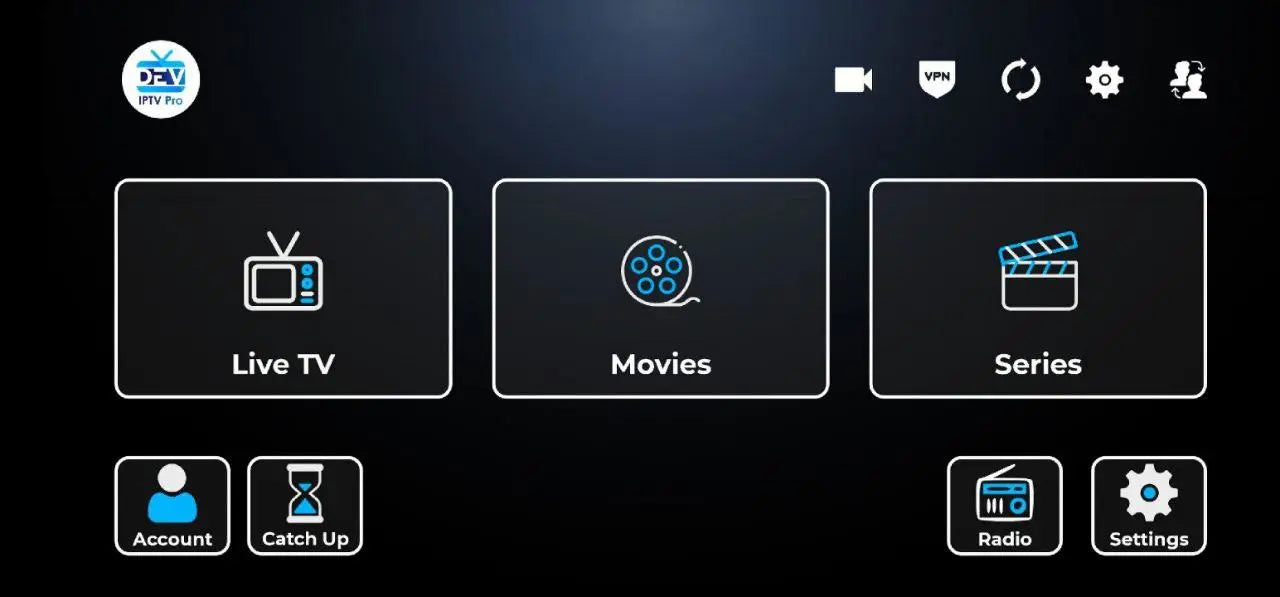
If you need a lightweight, fast IPTV Smarter player, Smarters Player Lite is worth considering. It supports multiple IPTV accounts, so you can switch between providers with ease. Plus, its intuitive design allows for easy navigation between channels, and you can even set up multiple screens for a comprehensive viewing experience.
7. iPlayTV

For users who want a more personalized experience, iPlayTV offers an array of customization options, from channel logos to interface themes. This app is perfect if you like to tweak settings, and it supports a wide range of formats. To install an IPTV player like iPlayTV on your iOS device, download it from the App Store, add your M3U URL, and start streaming.
8. OttPlayer

OttPlayer provides excellent stability and a clean, user-friendly interface. This player allows you to organize channels by categories and supports multiple protocol types like HLS, RTSP, and UDP. It also includes a handy feature that helps you troubleshoot common IPTV issues on iOS by allowing you to adjust stream quality settings, which can significantly reduce buffering.
9. IPTV Streamer Pro

IPTV Streamer Pro is known for its flexibility, supporting both EPGs and a variety of playlist formats. It’s ideal for users who need a robust player that can handle multiple lists, providing a smoother experience overall. If you want to optimize IPTV streaming on iOS with IPTV Streamer Pro, try adjusting the buffer size and resolution settings based on your internet speed.
10. IPTV - Watch TV Online

Last but not least, IPTV - Watch TV Online is an all-encompassing player that offers an excellent mix of features, including cloud storage for playlists, easy sharing options, and robust customer support. It's advanced controls allow for fine-tuning, which is essential for improving IPTV streaming quality on iOS. Just download, install, and follow the in-app instructions to start watching live TV right away.
How to Choose the Best IPTV Player for iOS?
When selecting an IPTV player, it’s important to consider compatibility, ease of use, and features. Think about whether you need multi-screen support, parental controls, EPG compatibility, or an app that supports specific formats. Additionally, look for apps that let you customize the user interface and provide stable performance for uninterrupted streaming.
Step-by-Step Guide to Setting Up IPTV on iOS?
- Download your preferred IPTV player from the App Store.
- Open the app and navigate to the settings or playlist section.
- Enter your M3U or Xtream Codes link provided by your IPTV service.
- Save your settings and explore the channel list to start watching.
How to Install Top IPTV Players on iOS Devices?
Most IPTV players, including the ones listed above, can be found in the App Store. To install, search for the app, tap “Get,” and follow the on-screen instructions to complete the setup. Some apps may require specific playlist links or user credentials provided by your IPTV service to access content.
How to Optimize IPTV Streaming on iOS?
To enhance your streaming quality:
- Ensure you have a strong Wi-Fi connection, preferably 5 GHz.
- Adjust the app’s video quality settings based on your internet speed.
- Close other apps running in the background to free up bandwidth.
How to Troubleshoot Common IPTV Issues on iOS?
If you encounter buffering or quality issues:
- Restart your device and router to refresh the connection.
- Clear the app’s cache or reinstall it to fix potential software glitches.
- If possible, use a VPN for a more stable connection, especially if you’re experiencing frequent disruptions.
By selecting the right IPTV player and optimizing your settings, you can enjoy high-quality streaming on your iOS device. So go ahead, explore these top players, and elevate your IPTV experience.
